
Scribe and Tango solve the same problem the same way: click through a workflow once, and the tool produces a numbered step-by-step guide with a screenshot for every click. They’re so similar that when Tango launched on Hacker News, the first comment asked, “very similar to Scribehow. does it provide different features than Scribehow?” If you’re choosing between them, the differences are emphasis and price — and there’s a third option worth knowing about if screenshots alone aren’t cutting it.
Quick take
- Scribe is the bigger, broader default: fast capture, a huge template and guide library, and a generous browser-only free plan. Best for general “how we do things” documentation at volume.
- Tango points the same capture flow at SOPs, training, and process adherence — documentation people are supposed to follow, not just read — and undercuts Scribe slightly on price.
- Neither shows the customer your actual walkthrough. Both are screenshot-first by design.
Capture and output
Day to day, the two feel similar: install the extension, run the workflow, get a shareable guide with automatic screenshots, then edit titles and annotations. Scribe’s ecosystem is larger — more templates, more public guides, free-tool pages for one-off documents. Tango’s product energy goes toward the moment after the guide exists: getting a team to actually complete the documented process.
Need the walkthrough to show the why, not just the clicks? If screenshots alone are missing context, a recorded explanation may fit better. See video-first guides
Two limitations come up in the communities that use both. Capture is browser-centric on the entry plans of each (“it only works on web apps and you have to use Chrome,” as an early Tango user put it). And getting content out is a shared weakness: in r/technicalwriting, a documentation professional evaluating both concluded “neither Scribe nor Tango offers a significant advantage over our existing tools,” with a colleague adding that on free plans “there is no ability to export, only share link.” If your guides must live in your own knowledge base as portable files, test the export path on your actual plan before committing to either.
Pricing, verified
Checked on both vendors’ official pricing pages on August 9, 2026:
| Scribe | Tango | |
|---|---|---|
| Free plan | Browser capture, share via link | 5 shared workflows, up to 10 users |
| Individual, billed annually | $25/seat/mo (Pro Personal) | $22/user/mo (1–2 users) |
| Individual, billed monthly | $35/seat/mo | $26/user/mo |
| Team, billed annually | $13/seat/mo, 5-seat minimum | $15/user/mo, 3+ users |
| Enterprise | Custom | Custom |
The structures differ more than the totals: Scribe’s team tier is cheaper per seat but forces five seats (a $65/month floor), while Tango charges more per user under three users and drops the rate once a third joins. For one or two authors, Tango is cheaper; at five-plus, Scribe’s team rate wins on paper. Worth knowing before an enterprise conversation: an MSP in r/msp reported a Scribe enterprise quote working out to “$18,000 per year for 5 users” — the advertised tiers are not the ceiling.
What neither gives you
A screenshot guide shows where to click. It can’t carry tone, judgment, or the “why” — and for anything customers find confusing, that’s usually the part they needed. The workaround is recording a separate walkthrough video and maintaining it beside the written guide, which is exactly the double work these tools were supposed to remove.
That gap is what Chairkick is built for: record the narrated walkthrough once, and AI writes the editable steps and pulls a screenshot for each one from the recording itself. New workspaces receive a 14-day Pro trial with no card; Pro is $9/month ($6/month billed yearly) per recorder, while ordinary share-link viewers do not need paid seats. The trade-off is honest: Chairkick starts from a recording, so it’s built for explaining products to customers, not for capturing hundred-step internal SOPs.
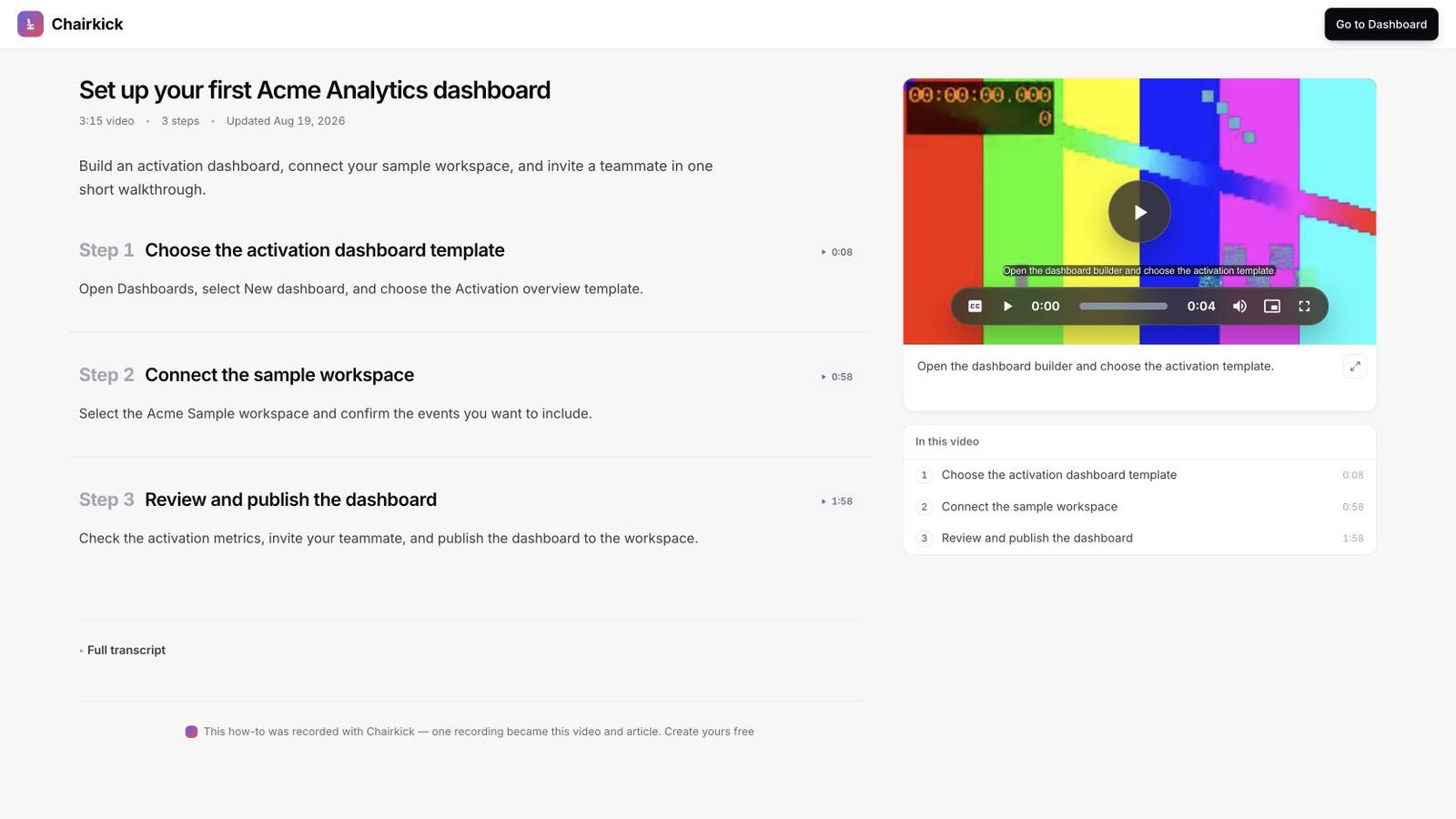
The format difference is visible here: screenshot-first tools make the steps the artifact, while a video-first guide keeps the original explanation beside the skimmable version.
Bottom line
Choosing between the two on their shared format: Scribe for breadth and customer-facing polish, Tango for internal process discipline and small-team pricing. Check the export path on whichever plan you’d actually buy — it’s the most-cited regret in both camps. And if what your customers really need is to see the workflow, pick neither and keep the video.
Prices verified on the vendors’ official pricing pages on August 9, 2026; check current pricing before you commit.