Chairkick can import playable Loom share and embed links directly. Collect the links, paste up to 500 per batch, monitor each import, verify the results, and replace important old links before cancelling Loom. There is no need to re-record the videos or manually download each MP4 first.
The importer transfers the media and available metadata into a new Chairkick recording. It does not recreate the entire Loom workspace, permissions, comments, analytics, Spaces, or old URLs, so a safe migration includes an inventory and verification pass.
What transfers and what does not
| Item | Migration result |
|---|---|
| Playable video and audio | Imported into Chairkick as a playable MP4 |
| Loom title | Preserved when Loom exposes it |
| Created date, duration, dimensions | Preserved when present in Loom metadata |
| Loom thumbnail | Imported when available; otherwise Chairkick generates one |
| Captions and transcript | Loom captions are imported when available; missing captions are reported |
| Source reference | Recording retains a source badge/link back to Loom |
| Chairkick share URL | Newly generated; the old Loom URL does not redirect |
| Loom comments and reactions | Not transferred |
| Viewer analytics | Not transferred |
| Workspace members, roles, and Spaces | Not transferred |
| Loom privacy rules and embed settings | Not transferred; review access and replace embeds manually |
| Original creator identity | Not transferred; the importing Chairkick user becomes the listed creator |
Want to import your Loom videos instead of re-recording them? Chairkick can move playable Loom share and embed links in batches so you can verify the results before switching over. Start the import
That last row matters for team migrations. Import your own recordings where practical. If one admin imports a teammate’s library, Chairkick will attribute those videos to the admin, which may be misleading.
1. Inventory the Loom library
Start with the places where viewers already encounter Loom:
- help-center and documentation embeds;
- onboarding and lifecycle emails;
- sales templates and CRM sequences;
- project tickets, issue trackers, and design files;
- internal wikis and standard operating procedures;
- customer support macros;
- public pages that must not break.
Create a simple migration sheet with old Loom URL, owner, destination or topic, importance, expected privacy, new Chairkick URL, and verification status. Prioritize business-critical links rather than importing a random library and discovering the dependencies afterward.
Archive or ignore obvious tests and outdated recordings. Migrating less content makes review faster and keeps the new library useful.
2. Collect Loom share links
For a small library, open each video and copy its share URL. Chairkick recognizes standard Loom share and embed URL forms and normalizes them before import. The link must expose a playable stream to the importing service; inaccessible, deleted, or restricted videos will fail.
For a larger library, use Chairkick’s Chrome exporter to collect links from Loom’s grid. Open the relevant Loom library or folder, scroll until the desired cards have loaded, and run the extension. Review the collected list before sending it to Chairkick.
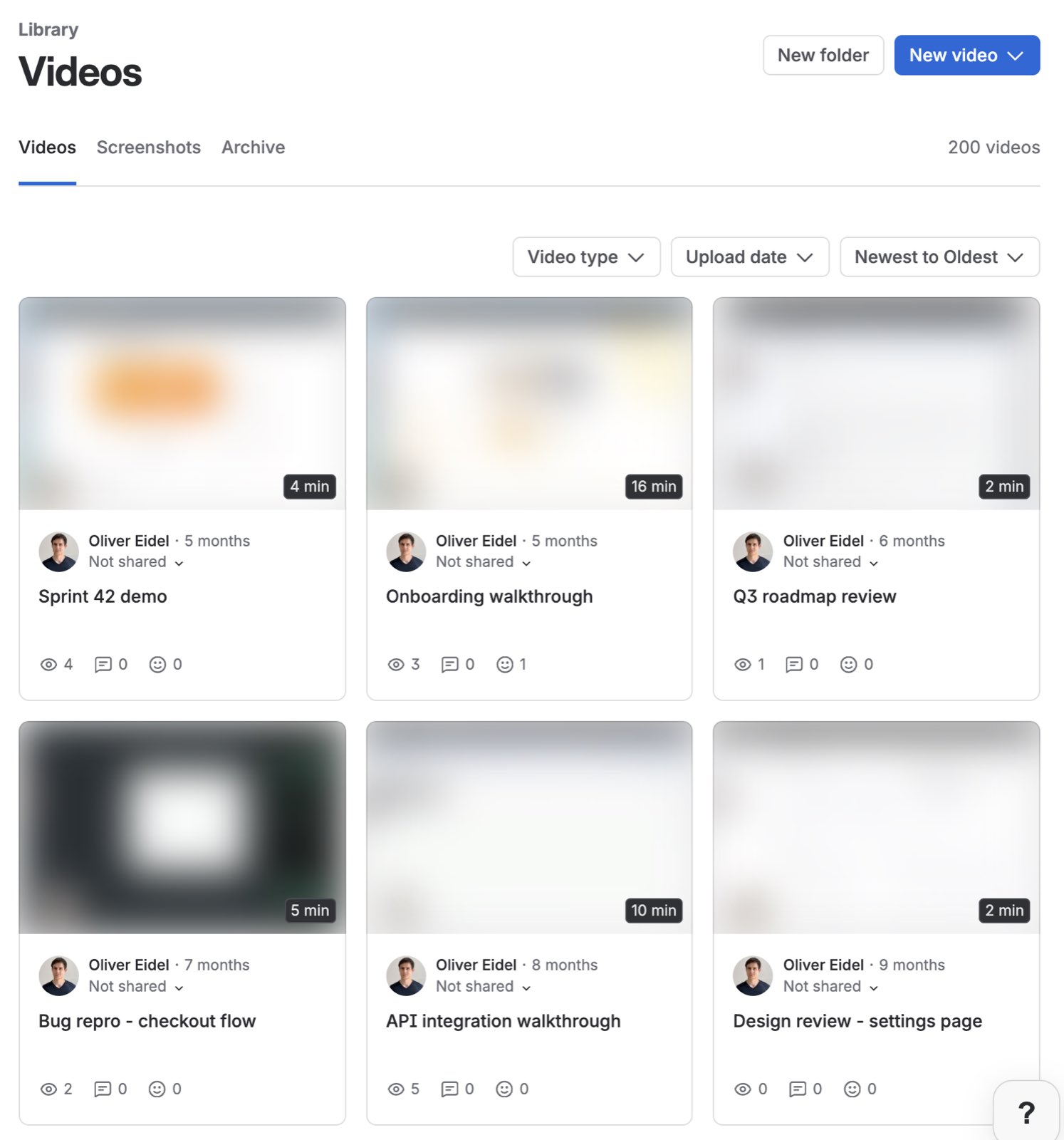
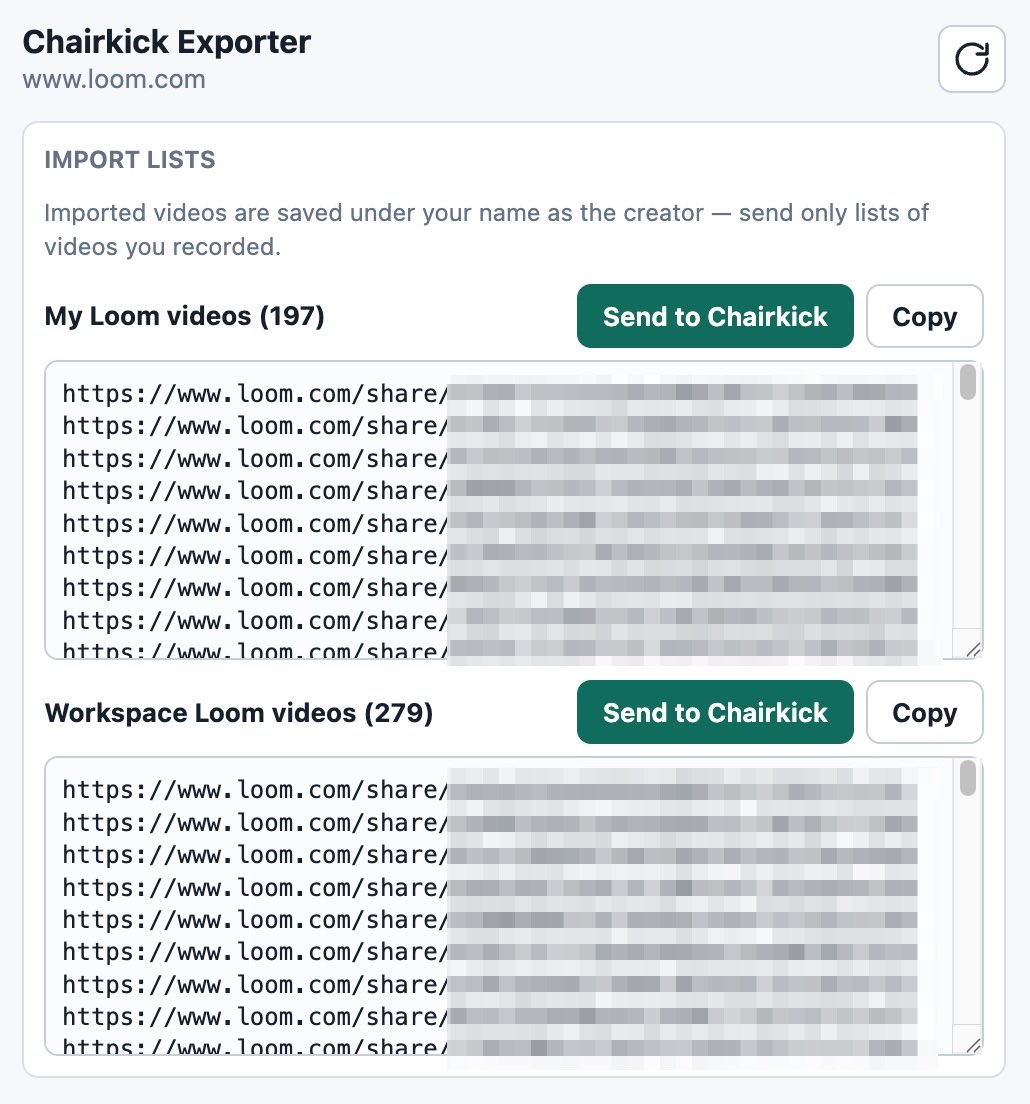
Keep the inventory sheet even if the browser extension supplies the URLs. A raw list does not tell you where an old link is embedded or who should approve the replacement.
3. Paste a batch into Chairkick
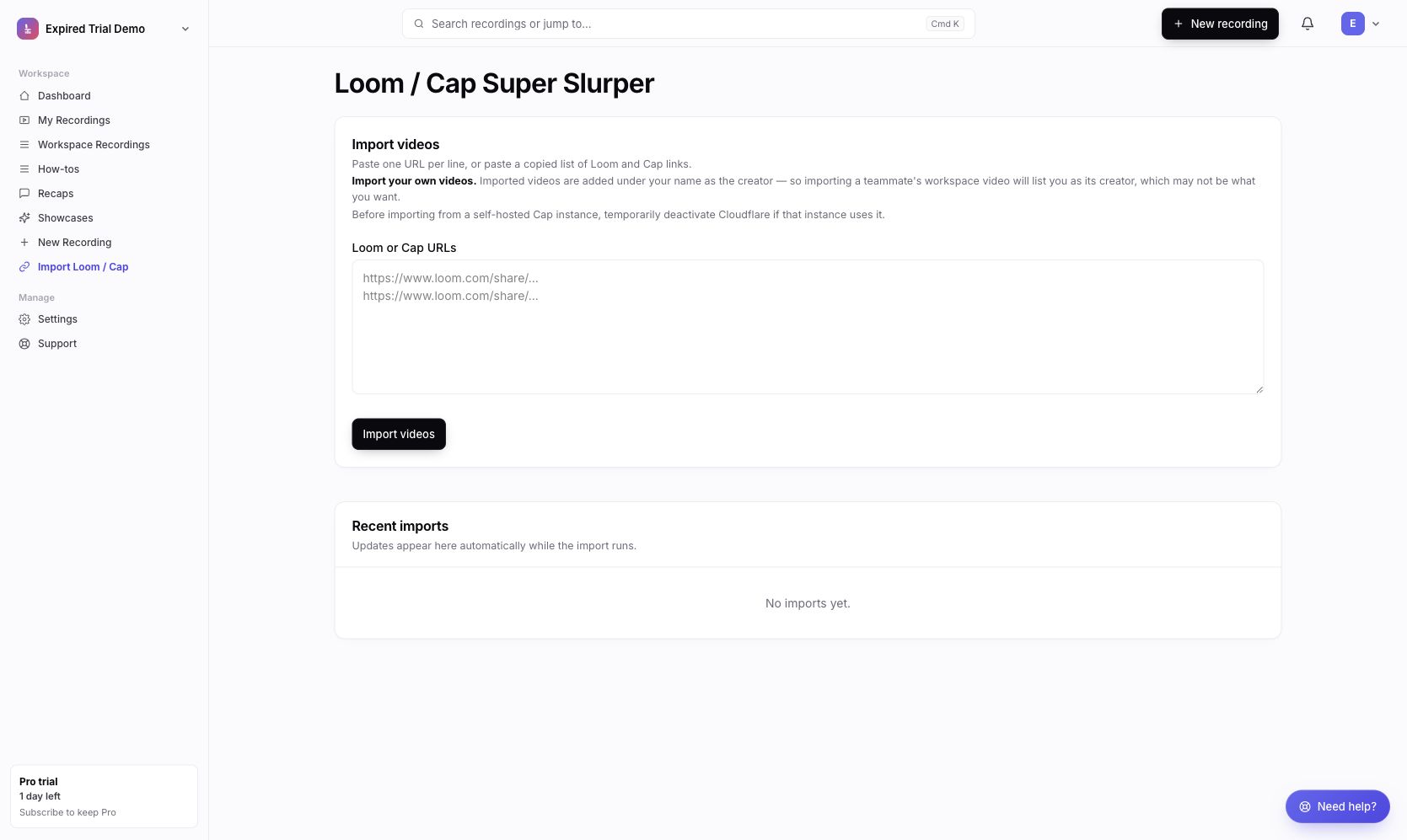
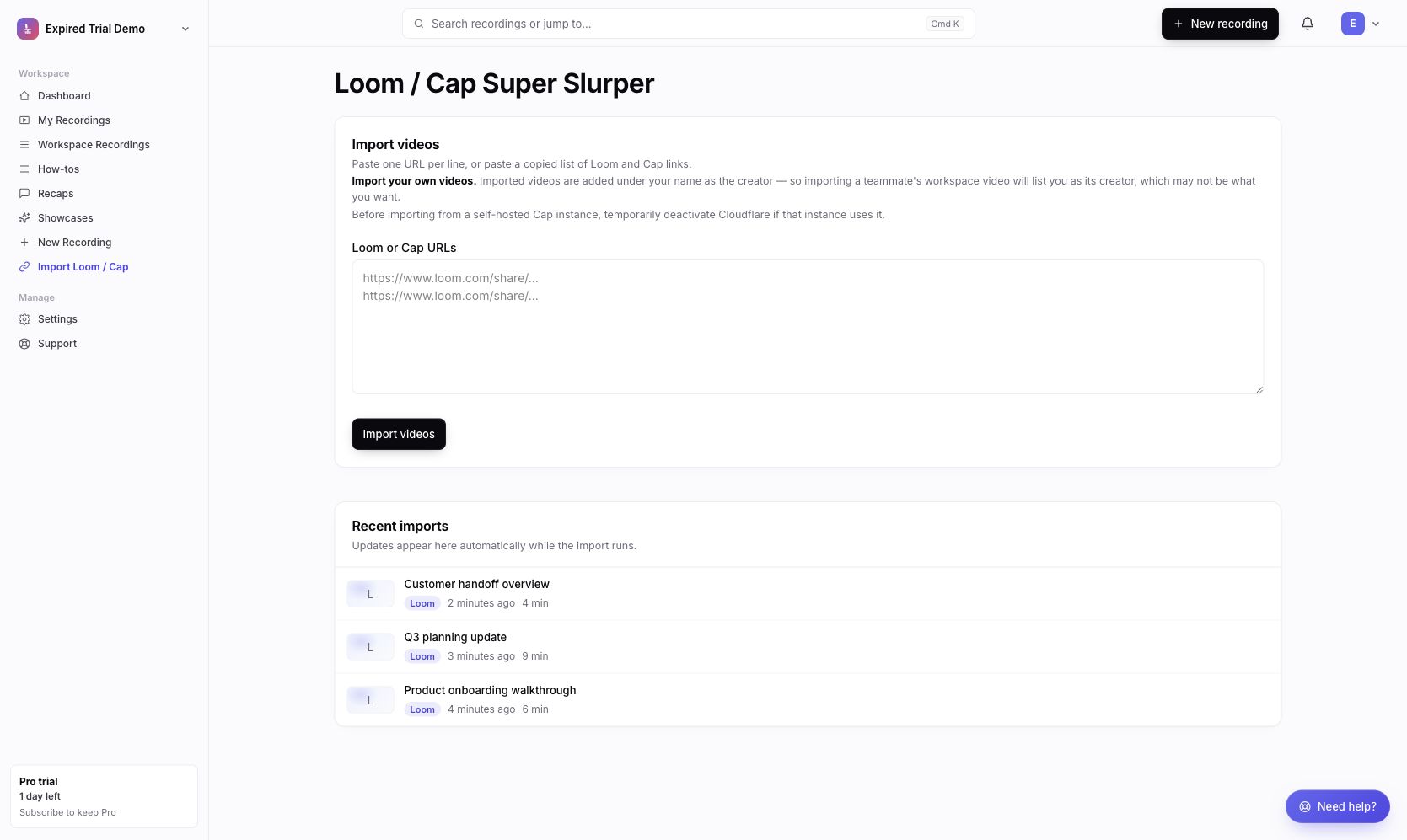
Open Import Loom / Cap in Chairkick. Paste one URL per line; whitespace- or comma-separated lists are also accepted. A single submission processes the first 500 links and reports how many remain for another batch.
The importer validates each URL before queueing it:
- unsupported or malformed links remain in the input for correction;
- duplicates in the same submission are skipped;
- supported links are queued;
- links beyond the current workspace’s capacity are saved as waiting rather than silently discarded;
- a submission containing no supported URLs returns an error.
New Chairkick workspaces begin with a 14-day Pro trial, so use that period to test representative videos and estimate the library. Pro removes the active-video import cap. On a capacity-limited workspace, excess imports remain visibly blocked and can launch after an upgrade.
4. Monitor imports and retries
Recent imports update while background workers fetch and validate each video. A Loom import typically passes through queued, metadata, download, validation, and ready-to-share stages. Network or processing interruptions retry automatically up to three total attempts; a persistent problem ends in a visible failed state instead of appearing complete.
The source Loom page must expose both metadata and a playable HLS stream. Common failures include:
| Message or symptom | Likely cause | Action |
|---|---|---|
| Link not recognized | URL is not a supported Loom share/embed or Cap share URL | Copy the canonical share URL and retry |
| Video metadata not found | Page is unavailable or does not expose the expected video | Open it in a private browser and check access |
| Playable stream missing | Loom is withholding playback for that request | Adjust sharing with the owner’s permission or export manually |
| Captions unavailable | Loom did not expose captions | Keep the video and add/retry transcription separately if appropriate |
| Import repeatedly interrupted | Temporary download or FFmpeg problem exhausted retries | Retry later; contact support with the URL and failed state |
| Waiting for Pro | Workspace lacks active-video capacity | Upgrade or reduce active recordings before launching more |
Do not make a private video public merely to migrate it without the owner’s approval. If the link cannot be safely made playable, use Loom’s authorized download/export flow and retain the file according to your organization’s data policy.
5. Verify representative and critical videos
An “imported” status proves the job completed, not that every business requirement has been reviewed. For every critical video—and a sample from each batch—check:
- the beginning, middle, and end play;
- microphone and system audio are present and synchronized;
- duration and aspect ratio are plausible;
- the title and thumbnail make sense;
- captions are present and accurate enough for the intended use;
- the new share page has the correct sharing state;
- the importing user is an acceptable displayed creator;
- the source badge points to the expected Loom recording.
For a large migration, record the batch ID or import date in the inventory. That makes failures easier to isolate and avoids rechecking the entire library.
6. Replace links, embeds, and documentation
Every imported recording receives a new Chairkick share URL. There is no automatic redirect from loom.com, so update the places listed during inventory.
Replace highest-impact links first: public help articles, onboarding emails, customer support macros, active sales sequences, and embedded product education. Then update internal wikis and old project references. For embeds, verify dimensions, privacy behavior, and playback in a logged-out browser.
Leave Loom active during this period. If an important replacement behaves differently, you want the old link available while fixing it.
7. Export a backup and cancel only after sign-off
A direct import is convenient, but an independent file backup is still useful for irreplaceable content. Follow the Loom export guide, open a sample of the downloaded files, and store them according to company policy.
Then ask the content owners to sign off on the migration sheet. Confirm that critical new links work for viewers who are not signed in. When the unresolved count is zero—or explicitly accepted—follow the correct Loom cancellation path for an Atlassian-managed or legacy account.
Chairkick after the migration
Imported videos join the same library as newly recorded Chairkick videos. They receive new unlisted share links, timestamped comments and reactions, and retain imported Loom captions when available. Chairkick Pro is $9 per recorder monthly or $72 per recorder yearly; ordinary share-link viewers do not become paid seats.
The migration tool is available during the 14-day Pro trial, so the sensible evaluation is concrete: import a handful of representative videos, check them end to end, test the new viewer workflow, and calculate the recorder count. Start from the two-minute migration page when the inventory is ready.
Sources and fact check
Chairkick importer behavior was checked against the production code and UI on August 18, 2026. Loom access, captions, and playback remain controlled by Loom and the recording owner. For Loom-side backups and subscription effects, see Atlassian’s official download documentation and cancellation guide.