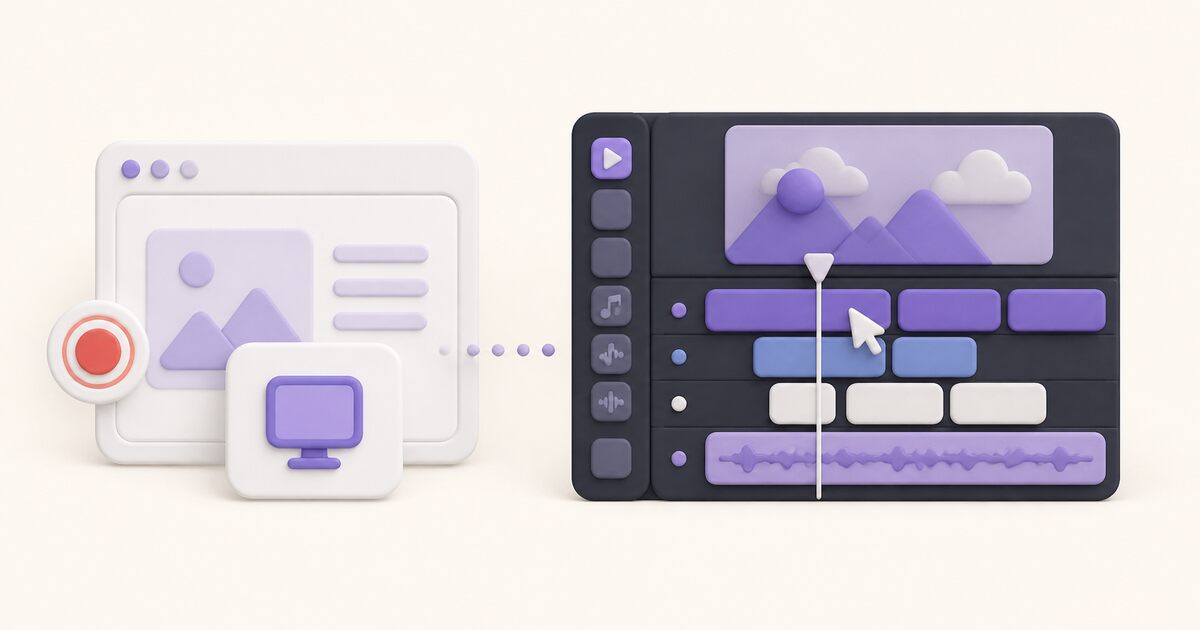
For product training videos, Camtasia is better when the video is a lasting course asset. Loom is better when it is a quick walkthrough people watch once. Camtasia is a desktop editor: you record, then shape the tutorial on a multitrack timeline with zooms, callouts, captions, quizzes, and exports to your LMS or YouTube. Loom is a messaging tool: you record, trim, and send a link, and viewers can comment right away.
Rule of thumb: if the tutorial will be watched for months by customers or new hires, the editing time in Camtasia pays off. If the software changes every sprint or the audience is a teammate with one question, re-recording in Loom is cheaper than re-editing. Many teams use both. Loom handles quick internal walkthroughs and Camtasia handles the polished onboarding course.
Quick verdict for training videos
| Training video type | Better fit | Why |
|---|---|---|
| Internal walkthrough of a new feature | Loom | Record once, share a link, collect questions in comments |
| Customer onboarding course or LMS module | Camtasia | Timeline editing, callouts, captions, and exported files |
| Short answer to a support or colleague question | Loom | Minutes from recording to link |
| Product training that will be reused for a year or more | Camtasia | Polishing pays off over many viewings |
| Frequently changing software steps | Loom | Re-recording is cheaper than re-editing |
Need a better way to make training videos? Record once, add written steps and screenshots, and share one link. Make training videos
Loom vs Camtasia at a glance
| Question | Loom | Camtasia |
|---|---|---|
| Primary job | Async video communication | Screen recording and video production |
| Workflow | Record, lightly edit, share a hosted link | Record/import, edit on a timeline, export or publish |
| Editing depth | Basic editing; advanced and AI features vary by plan | Multitrack editing, cursor effects, animations, audio processing |
| Hosting | Built-in Loom library and share pages | Screencast allowance varies by plan; exported files remain central |
| Collaboration | Comments, reactions, workspace libraries | Review/sharing strongest in the higher Camtasia package |
| Platforms | Browser/desktop/mobile options | Desktop editor on Windows and macOS |
| Paid entry for core job | Loom Business: $18/user monthly | Camtasia Essentials: $179.88/year |
Public prices and features were checked October 1, 2026. Team licensing and annual terms can differ, so validate the actual checkout for your organization.
Loom is built for speed and response
Loom assumes the video itself is a message. You record a tab, window, screen, camera, and microphone; trim obvious mistakes; then share the generated page. The page carries the title, transcript, comments, and reactions, so discussion stays next to the video.
That works well for:
- bug reports and reproduction steps;
- design or code feedback;
- project updates and handoffs;
- short product demonstrations;
- support answers;
- explanations that replace a meeting or long email.
Loom Starter currently includes 25 videos and five-minute ordinary recordings at up to 720p. Business is listed at $18 per user monthly and adds unlimited videos, unlimited recording length, downloads, basic editing, and up to 4K. Business + AI is $24 per user monthly and adds the broader AI and advanced-editing set.
Loom’s advantage is low production overhead. Its limitation is the same: when every frame, transition, audio level, and visual layer matters, a messaging editor becomes restrictive.
Camtasia is built for production
Camtasia treats capture as the beginning of an editing project. The editor can combine screen, camera, images, clips, audio, annotations, transitions, zooms, cursor paths, quizzes, and captions on a multitrack timeline. That is appropriate when viewers will see the video repeatedly or when the finished piece represents a brand, course, or product.
Typical Camtasia work includes:
- onboarding and training modules;
- detailed software tutorials;
- course lessons;
- YouTube or marketing videos;
- narrated presentations;
- content that needs SCORM export or quizzes;
- videos assembled from several takes and media sources.
TechSmith’s current individual pricing puts Starter at $39/year, but its Camtasia Editor output is watermarked. Essentials, the practical entry for watermark-free multitrack video editing, is $179.88/year. Create is $249/year with AI scripting and voiceover tools; Pro is $599/year with avatars, premium assets, and unlimited Screencast sharing.
Editing is the decisive difference
Loom helps remove enough friction to send the explanation. Camtasia helps shape the explanation into a finished media asset.
In Loom, a useful edit might be trimming the setup, cutting a mistake, removing filler words, or generating a summary. In Camtasia, editing can mean reconstructing pacing, changing cursor emphasis, mixing music, layering callouts, correcting audio, reframing the camera, inserting B-roll, and producing several output formats.
Ask how often the team needs those controls. A deep editor saves time when the alternative is several disconnected tools. It wastes time when people start polishing a two-minute internal update that should already have been sent.
Hosting and feedback
Loom includes hosting as the center of the product. The share URL is the deliverable, and the creator can organize videos in workspace libraries while viewers respond on the page.
Camtasia is historically file- and project-oriented. TechSmith now includes Screencast capabilities across packages, but the current plan table limits shared collections and hosted-video allowances on lower tiers while Pro includes unlimited sharing. If the organization needs every tutorial to live in an LMS, knowledge base, YouTube channel, or its own storage, an exported file may be the right outcome. If it needs hundreds of informal team messages, managing exports creates unnecessary work.
Test the complete loop:
- Who records?
- Who edits?
- Where does the finished video live?
- How does a viewer comment or ask a question?
- Who updates or replaces it later?
- What happens when the creator leaves?
Recording quality and audio
Both can produce high-resolution screen recordings. The more meaningful distinction is control after capture. Camtasia provides stronger tools for cursor behavior, audio cleanup, caption styling, animations, and mixing. Loom’s quality is generally sufficient for readable async walkthroughs, but some capabilities sit behind paid tiers.
For either tool, record a real workflow rather than a blank desktop. Check small interface text, system audio, microphone clarity, camera synchronization, scrolling, and the final viewer quality. A “4K” checkbox does not guarantee readable output if the page scales badly or the platform serves a lower rendition.
Team cost and learning cost
Loom charges per paid user, which can become expensive when many people record occasionally. Camtasia’s individual Essentials price works out to about $15 per month when viewed across a year, but individual subscriptions are non-transferable; TechSmith directs organizations needing transferable seats toward business licensing.
The bigger cost can be workflow. Loom needs little training but encourages many hosted recordings. Camtasia demands more editing skill and local project management but can replace a collection of capture and production tools.
Price these scenarios separately:
- ten people sending weekly async updates;
- two instructional designers producing monthly courses;
- a support team making quick answers plus one marketer producing polished videos.
The third scenario often warrants two tools rather than a compromise for everyone.
A focused alternative for async video
If Loom’s job is right but its price or product breadth is not, Chairkick covers browser recording, unlisted sharing, transcripts, summaries, and timestamped comments. New workspaces get a 14-day Pro trial; Pro costs $9 per recorder monthly or $72 yearly, and ordinary share-link viewers do not need paid seats.
Chairkick is not a substitute for Camtasia’s production timeline. It is an alternative for the “record this and send it now” side of the comparison. The tutorial-video guide helps decide when a recording deserves a real production process, the Screen Studio comparison covers automatic visual polish, and the best Loom alternatives guide compares more async options.
Which should you choose?
Choose Loom when speed, hosted sharing, and contextual response matter more than precise production. Choose Camtasia when editing is part of the job and the finished video must survive repeated viewing, publishing, or training requirements.
If the team does both, do not force one workflow onto every video. Use a fast recorder for disposable and conversational explanations; reserve Camtasia for assets whose audience and lifespan justify the editing time.